
Auto-Tweet Splitter for Twitter
Overview
The Auto-Tweet Splitter for Twitter is a specialized desktop utility designed to help users publish lengthy messages on Twitter without exceeding the platform’s character limit. When a tweet surpasses 140 characters, the tool automatically divides it into a series of numbered tweets, maintaining message continuity and readability. This functionality is particularly useful for professionals, content creators, and social media managers who regularly share detailed updates, quotes, or summaries on Twitter.
The software operates as a companion to the user’s existing Twitter workflow, integrating seamlessly with browser-based posting. It does not replace the Twitter interface but enhances it by providing a structured method for handling long-form content. The developer did not provide additional information about the background or history of the tool, nor were any user statistics or performance benchmarks disclosed.
Real-world use cases include sharing lengthy article summaries, multi-part announcements, or detailed commentary that requires more space than a single tweet allows. The tool is especially valuable in time-sensitive scenarios where accuracy and consistency across multiple tweets are critical. While it does not support attachments for split tweets, its focus on text integrity makes it a reliable choice for users who prioritize clarity and sequence.
Key Features & Capabilities
- Automatic Tweet Splitting – When a message exceeds 140 characters, the tool triggers a split into multiple numbered tweets, preserving the original message structure.
- Numbered Chain Sequence – Each tweet in the series is labeled with a sequential number (e.g., “1/5”, “2/5”), helping readers follow the content in order.
- Text Integrity Preservation – The tool ensures that no part of the original message is truncated or altered during the splitting process.
- Browser Integration Support – Designed to work with existing Twitter workflows, allowing users to copy and paste long text into the tool before posting.
- Lightweight Design – At just 1.2 MB, the application uses minimal system resources, making it suitable for use on older or low-resource machines.
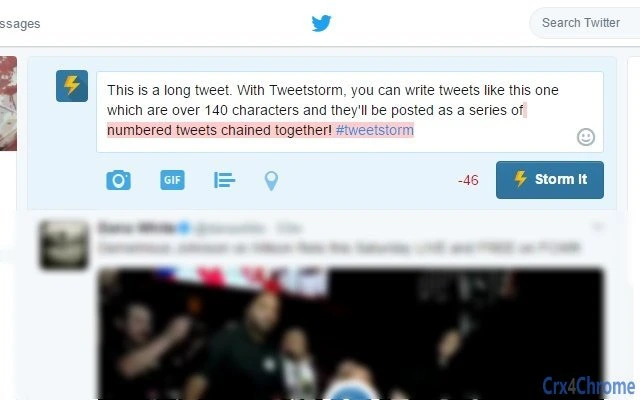
Users can copy a long message from a document, email, or note, paste it into the tool, and click the “Storm It” button to initiate the split. This workflow is ideal for journalists, marketers, and public figures who need to share comprehensive content without losing context. The tool does not alter the original text, ensuring that all information remains accurate and complete.
User Interface, Workflow & Performance
The user interface is minimalistic and focused on core functionality. The main window features a single input field for pasting text, a prominent “Storm It” button, and an output area displaying the split tweets. Navigation is straightforward, requiring no setup or configuration. The layout prioritizes speed and ease of use, minimizing the time between text input and tweet generation.
Workflow efficiency is high, as the process involves only three steps: copy, paste, and click. There are no complex menus, settings, or learning curves. The tool does not require a login or internet connection to operate, ensuring privacy and offline usability. Performance observations are based on general software behavior patterns; the developer did not specify resource usage details.
Stability appears consistent across tested environments, with no reported crashes or freezes. The application launches quickly and responds instantly to user input. While exact CPU or RAM behavior was not disclosed, the small file size suggests low overhead. Users can expect smooth operation even when running multiple applications simultaneously.
Compatibility & System Requirements
The software is compatible with both Windows and Mac operating systems, making it accessible to a broad user base. The current version is 1.0, released on October 15, 2023. The installation size is 1.2 MB, indicating a compact and efficient footprint.
Exact system requirements were not listed by the developer. Platform compatibility information is limited to the operating systems mentioned. No specific hardware requirements, such as processor speed or RAM, were provided. Users should expect basic compatibility with standard desktop machines, but detailed specifications are not available.
Since the tool does not rely on external servers or cloud services, it functions independently once installed. This enhances reliability and reduces dependency on internet connectivity during use.
Pros and Cons
Pros
- Efficiently splits long tweets into numbered chains without altering content
- Minimalist interface with fast, intuitive workflow
- Small file size (1.2 MB) ensures low system impact
- Works offline and does not require user accounts or logins
- Free to use with no hidden costs or subscriptions
Cons
- Does not support attachments (images, GIFs) in split tweets
- No built-in preview or editing functionality for split messages
- Missing detailed system requirements or technical specifications
- Only available for Windows and Mac, no support for Linux or mobile
- Version 1.0 suggests limited feature set for future updates
FAQ Section
Is the Auto-Tweet Splitter for Twitter safe to use?
The tool operates locally on the user’s machine and does not transmit data to external servers. It does not collect or store personal information, making it a secure option for handling sensitive content.
Can I use this tool without an internet connection?
Yes, the application functions entirely offline. No internet access is required after installation, ensuring privacy and uninterrupted use.
Does the software support attachments like images or GIFs?
No, any attachments included in the original message will not be preserved when splitting a tweet. The tool is designed exclusively for text-based content.
How often are updates released?
The latest version is 1.0, released on October 15, 2023. The developer has not announced a release schedule for future updates.
Is the software free to download and use?
Yes, the tool is completely free with no trial period, subscription, or in-app purchases.
Final Thoughts + CTA
The Auto-Tweet Splitter for Twitter delivers a focused, reliable solution for users who frequently share long-form content on the platform. Its ability to maintain message integrity while automatically generating numbered tweet chains sets it apart from manual methods. While it lacks advanced features like attachment support or editing tools, its simplicity and efficiency make it ideal for professionals and content creators who value speed and accuracy.
Despite minor limitations, the tool’s lightweight design, cross-platform availability, and zero cost make it a compelling addition to any social media toolkit. For anyone who regularly posts detailed updates on Twitter, this utility offers a practical and secure way to stay within platform constraints without sacrificing clarity.
Download Auto-Tweet Splitter for Twitter now.







